Search OnlyFans Models
Enter a name or username to search, or browse popular models.
Here's the frustrating truth: OnlyFans doesn't have a proper built-in search. You can't just type someone's name and find them. The platform keeps things deliberately vague for privacy reasons. Nice for creators—annoying for fans who want to find someone specific.
That's exactly why we built this.
How to Search OnlyFans (The Real Answer)
Forget the runaround. Here's what actually works in 2026:
| Search Method | What You Need | Effectiveness |
|---|---|---|
| Search by Username | Exact or partial username | ⭐⭐⭐⭐⭐ |
| Search by Name | Real name or display name | ⭐⭐⭐⭐ |
| Search by Bio Keywords | Niche, interests, location in bio | ⭐⭐⭐⭐ |
| Reverse Image Search | A photo of the creator | ⭐⭐⭐ |
| Search by Email | Their email address | ⭐⭐ (limited) |
| Location-Based Search | City, state, or country | ⭐⭐⭐⭐ (via third-party) |
Our search tool lets you search OnlyFans creators by name, username, or bio—all in one place. No account hopping. No guessing URLs.
Why OnlyFans Search Is Broken (By Design)
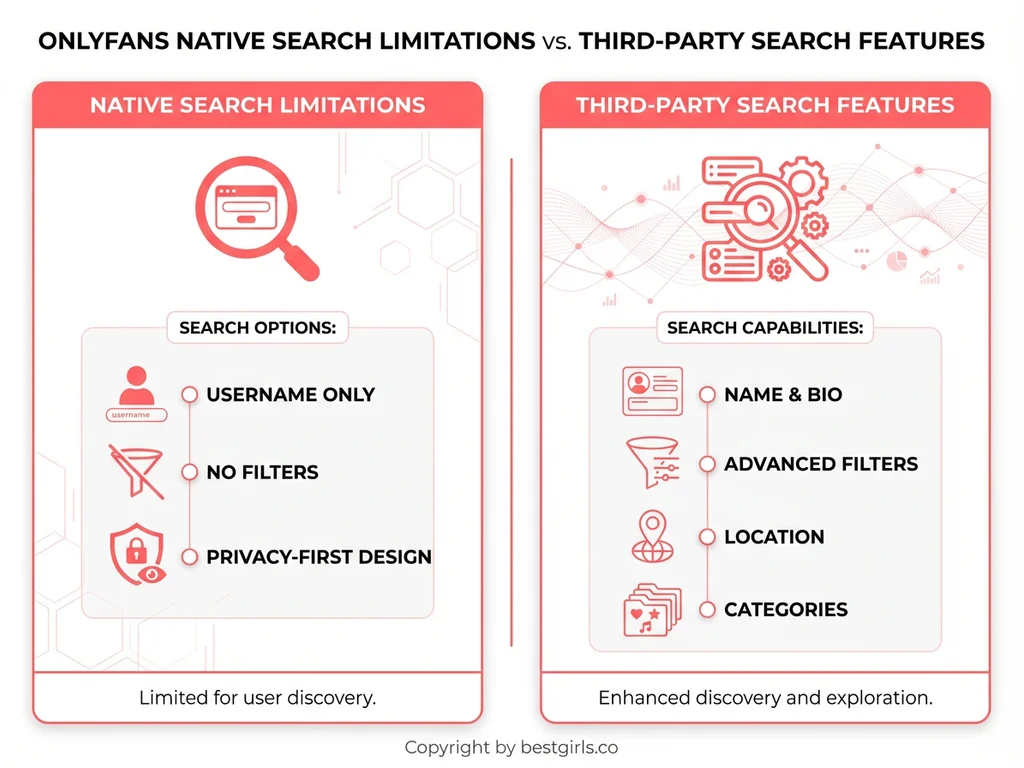
OnlyFans deliberately limits its native search to protect creator privacy. You can search for keywords in post captions and creator bios if you're logged in, but that's about it. There's no category browsing, no location filter, no sorting by price or popularity.
This means most fans end up relying on third-party tools or social media breadcrumbs to find anyone. The official search bar is basically a fancy URL redirector—type the exact username or go home empty-handed.
Search OnlyFans by Location: Does It Work?
Here's what people ask constantly: "Can you search OnlyFans by location?"
Not natively. OnlyFans doesn't have a built-in location filter. But our platform (and others like us) index creator bios—and many creators include their city, state, or country in their profiles.
So if you're looking for local creators in your area, a bio-based search is your best bet. Just type your city or region and see who pops up.
How to Search for People on OnlyFans (Step-by-Step)
- Use our search bar above. Enter any name, username, or keyword.
- Scan the results. Each profile shows username, bio excerpt, and quick stats.
- Click to explore. View the full profile and decide if they're worth subscribing to.
That's it. No sign-up required just to browse. No typing random URLs and hoping for the best.
Advanced Tips: Finding Specific Creators
- Know their niche? Search keywords like "fitness," "cosplay," "ASMR," or "gamer."
- Have a photo? Some platforms (not us) offer reverse image search—useful if you've seen a creator elsewhere.
- Know their socials? Many creators link their Instagram or TikTok in bios. Sometimes working backwards is faster.
- Want free creators? Use our free OnlyFans section to filter by subscription price.
OnlyFans Search vs. Third-Party Tools: What's Better?
| Feature | OnlyFans Native | BestGirls.co Search |
|---|---|---|
| Username Search | ✅ Yes | ✅ Yes |
| Name Search | ❌ Limited | ✅ Full |
| Bio Keyword Search | ❌ Login Required | ✅ Instant |
| Location Filtering | ❌ No | ✅ Via Bio |
| Category Browsing | ❌ No | ✅ Yes |
| Account Required | ✅ Yes | ❌ No |
Bottom line: OnlyFans keeps its search vague on purpose. We don't.
Common Search Problems (And How We Fix Them)
"I only have a first name."
Our bio search scans profiles for name mentions. Try it—you might get lucky.
"I know their city, not their username."
Type the city. Creators often list location info in their bio.
"They changed their username."
Search by display name or bio keywords instead. Usernames change; personality doesn't.
"I don't want to create an OnlyFans account just to search."
You don't have to. Search here first, subscribe later.
The 2026 OnlyFans Landscape (Quick Context)
OnlyFans just crossed $7.2 billion in annual revenue in 2025—a 9% jump from the previous year. The creator economy isn't slowing down, but the way people find creators is shifting. Personality-first discovery is the new norm. Fans want to connect with specific people, not just browse generic categories.
That's why tools like ours matter. Discovery shouldn't be a chore.
Ready to find someone? Use the search bar above and skip the guesswork.
FAQ
Can you search OnlyFans without an account?
Not on OnlyFans itself—they require login to use the search bar. But third-party tools like ours let you search creators by name, username, or bio without creating any account.
How do I search OnlyFans by location?
OnlyFans has no native location filter. However, many creators include their city or country in their bio. Search tools that scan bios (like ours) can help you find local creators.
Can you find someone on OnlyFans by email?
Some specialized lookup tools claim to search by email, but this is inconsistent and raises privacy concerns. Username or name searches are more reliable.
Why is OnlyFans search so limited?
Privacy. OnlyFans intentionally restricts search to protect creators from unwanted exposure. This is great for creator safety but frustrating for fans trying to discover new content.
Can I reverse image search to find OnlyFans profiles?
Some third-party tools offer facial recognition or reverse image search. Success varies—if the creator uses the same photos across platforms, you might get a match.
How do I find OnlyFans creators in my area?
Search by your city, state, or region using a bio-based search tool. Creators who want local fans often mention their location in their profile description.
What's the best way to search for OnlyFans users?
Combine multiple approaches: start with username if you have it, try name or bio keywords if you don't, and use category filters to narrow down by niche or content type.